

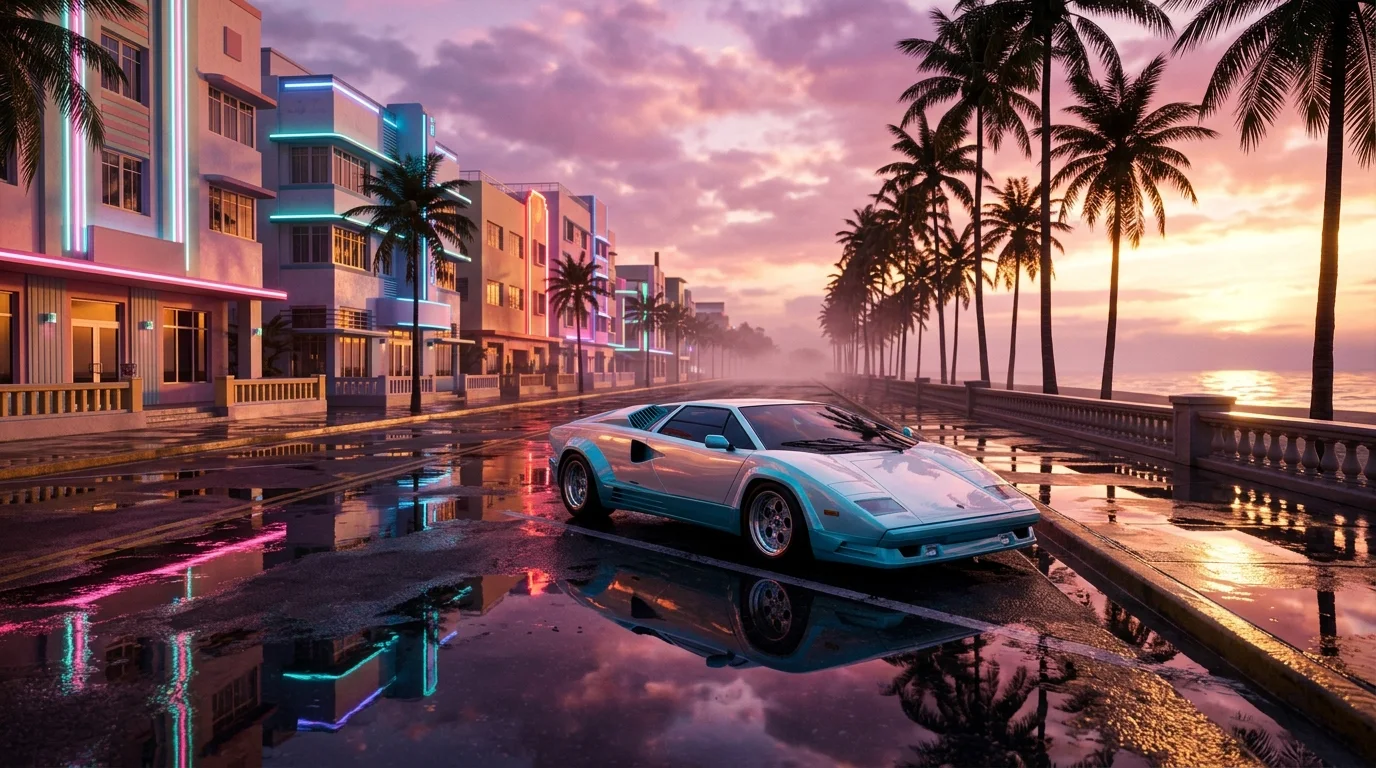
Quick Answer (TL;DR)
If you want to generate GTA 6 style AI videos—especially the viral format where you put yourself directly into Vice City-style cutscenes or third-person gameplay footage—you no longer need 3D modding, green screens, or manual face-tracking masks.
On magi-2.run, the complete pipeline relies on multimodal reference-to-video and video editing models:
- Best for final 1080p quality & lowest cost — MAGI-2 (
referencemode): Accepts up to 9 reference images + 5 reference videos (2–30 seconds each), outputs native 1080p / 25 fps with synchronized audio, locks vehicles, neon signage, and minimap HUDs reliably, and charges a flat 2.8 credits/second with zero input-video surcharge. - Best for rapid 2-minute iteration — Seedance 2.5 Flash (
editmode): Uses explicit@image1/@video1video-edit conditioning at 720p / 24 fps, finishes 6-second character swaps consistently in ~100 seconds, and keeps ultra-strict 1:1 likeness on faces and small accessories like necklaces. - Best for 4K / multi-shot trailer edits — Seedance 2.5: Supports up to 30 seconds and multi-image character anchoring when generating original Vice City trailer openings from scratch.
Want to test while reading? Open the live GTA 6 Style AI Video Generator in another tab—new accounts receive welcome credits (no card required) to test a 1080p MAGI-2 clip, or read the free-trial rules first.
Why Reference-Video Character Swaps Outperform Simple "GTA Filters"
Most "GTA 6 filter" posts on TikTok fall into three buckets:
- Static poster-to-video loading screens: Turn one selfie into a cel-shaded Miami illustration and animate palm trees for 4 seconds. Easy to make, but audiences have seen thousands of them.
- 9-photo trailer montages: Chain portrait photos into a fast-cut Vice City opening. Fun, yet visually obvious as a template.
- Reference-video protagonist swaps ("putting yourself in real game footage"): Take a dynamic 6-second third-person gameplay clip (complete with minimap HUD, pedestrians, and parked sports cars) or a dramatic muscle-car cutscene, and recast the protagonist as yourself while every car, reflection, camera move, and sound effect stays locked.
Why does the third format consistently pull millions of views? Motion credibility. Human eyes immediately spot synthetic AI camera drift, whereas a locked third-person gameplay trajectory or heavy car-door-slam cutscene convinces viewers for the first two seconds that they are watching real modded footage—before they realize the main character is wearing their face and their outfit.
Model Teardown: MAGI-2 vs Seedance 2.5 Flash vs Seedance 2.5
Before writing a single prompt, you need to understand how each video model processes a portrait + reference video pair. We ran controlled head-to-head benchmarks on November 27, 2026 using the exact same 6-second Vice City cutscene (9:16) and third-person HUD gameplay clip (16:9).
| Capability & Measured Metric | MAGI-2 (reference mode) | Seedance 2.5 Flash (edit mode) | Seedance 2.5 (omni_reference) |
|---|---|---|---|
| Underlying Workflow | Multimodal reference-to-video (image_with_roles + video_urls) | Explicit pixel-guided video edit (omni_reference_task_type: "edit") | High-capacity multimodal reference & frame chaining |
| Native Output Resolution | 1080p / 25 fps (noticeably sharper hair, skin, chrome) | 720p / 24 fps | Up to 1080p (30s) |
| Max Reference Inputs | Up to 9 images + 5 videos (2–30s each, ≤30s total) | Up to 10 images + 5 videos (4–30s source for edit) | Up to 30 images + 10 videos + 10 audio |
| Scene & Minimap HUD Lock | Near pixel-locked cars, license plates, neon signs & HUD | Near pixel-locked scene, HUD & exact frame pacing | Strong scene consistency; more creative re-framing |
| Face & Expression Handling | High identity match + natural expression transfer (inherits smirks/smiles from the source actor) | Ultra-strict 1:1 portrait likeness & small accessory retention (glasses, chains) | Strong identity across multiple camera cuts |
| Measured 6s Render Time | 253s – 960s (4–16 min depending on upstream 1080p queue) | ~100 seconds (consistently under 2 min) | ~2–4 minutes |
| Upstream / Credit Cost | $0.48 per 6s / flat 2.8 credits/sec (no input-video surcharge) | $1.01 per 6s (billed on input + output video tokens) | Higher per-second tier |
| Best Role in Your Pipeline | Hero renders, 1080p close-ups, final publishable reels | Fast prototyping, testing 3–4 source clips quickly | Multi-shot 15–30s original trailers without a source video |
Key Technical Insight from Our Benchmark
API documentation classifies MAGI-2's multimodal endpoint strictly as "reference" mode rather than "edit" mode. Many creators assume that means MAGI-2 will loosely remix the background instead of preserving exact game footage. Our live tests proved the opposite: when your prompt explicitly instructs MAGI-2 to lock the source environment, vehicles, camera movement, and HUD, MAGI-2 preserves license plate digits, windshield framing, parked convertibles, and bottom-left minimap radars nearly pixel-for-pixel—at native 1080p and half the API cost of 720p video-edit mode.
For a deeper cross-model breakdown including Higgsfield Video Arena scores, see our MAGI-2 vs Seedance 2.5 comparison.
Step 0: Prepare a Bulletproof Reference Pack
Every failed character swap traces back to weak input assets—not bad luck. Before spending credits, run this 30-second reference hygiene check.
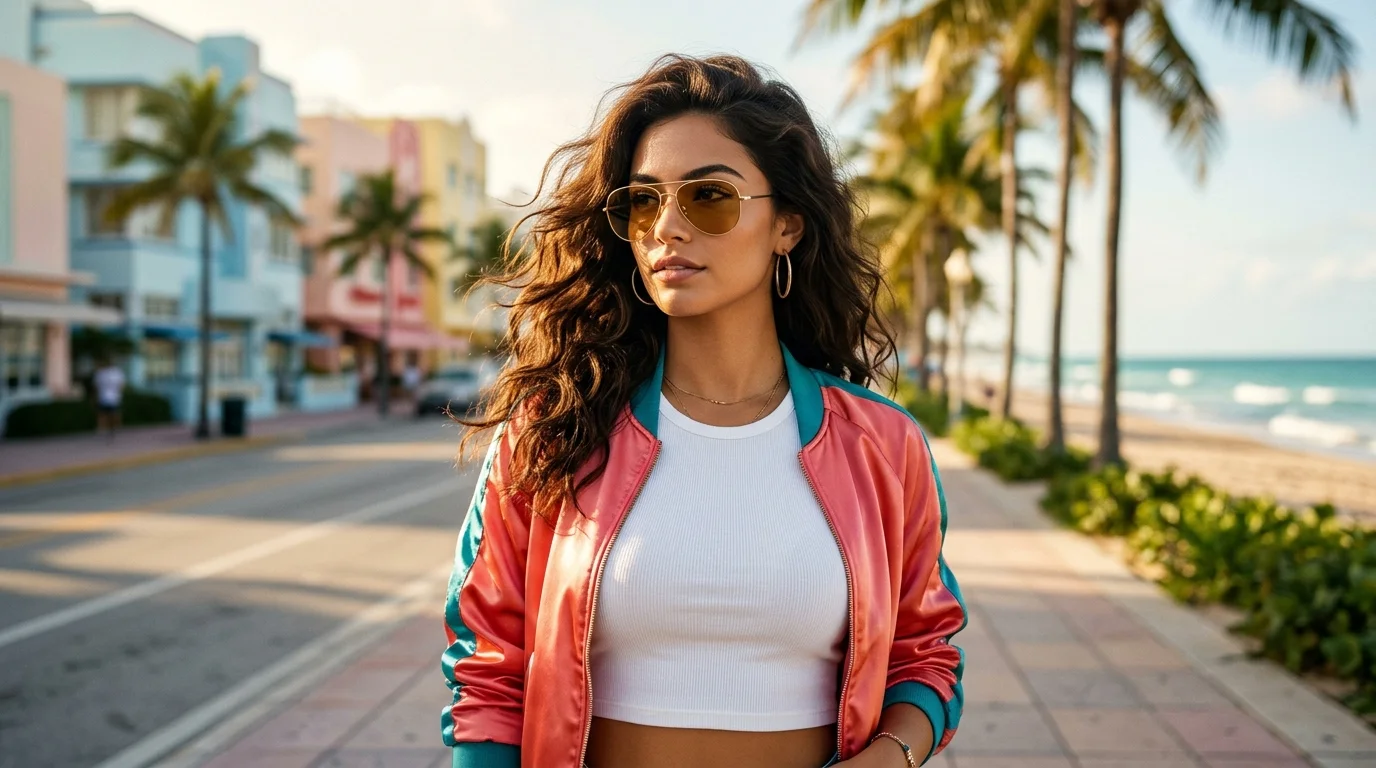
Portrait Photo Checklist
| Attribute | What Produces Near-100% Identity Lock | What Causes Face Drift or "AI Plastic" |
|---|---|---|
| Framing | Waist-up or chest-up sharp photo showing face, shoulders, and top | Tight forehead-to-chin crop (model guesses wrong body/clothes) |
| Lighting | Even outdoor daylight or soft window light | Heavy purple club lighting or deep shadow across one eye |
| Wardrobe Hook | One high-contrast outfit (tropical shirt, coral bomber jacket, leather jacket, tinted aviators) | Plain black tee that blends into shadows in wide shots |
| Face Angle | Front-facing or gentle 15° angle, clear hairline & jawline | Extreme wide-angle distortion, hands blocking chin, heavy beauty filters |
Source Reference Video Checklist
- Sweet spot duration: 5–8 seconds (long enough for a complete physical beat—car door opening + step out + walk toward camera—without wasting credits or hitting motion drift).
- Clear subject silhouette: Pick clips where the original game protagonist is clearly separated from background crowds for at least 70% of frames.
- High-impact camera beats: Clips where the character steps out of a car, turns toward the camera, or glances over their shoulder generate far stronger viewer recognition than clips where you only see the back of a head for 6 seconds.
Workflow 1: Cutscene Character Swap (9:16 Viral TikTok & Reels Format)
This is the highest-converting entertainment workflow: take a 6-second vertical cutscene (for example, a rugged character stepping out of a matte-black vintage muscle car on a neon sunset boardwalk) and replace that actor with yourself.
The 4-Layer Swap Prompt Formula
Never write a lazy one-liner like "swap the guy with @image1." Instead, structure every reference-video swap into four explicit blocks:
- Environment & Camera Lock: Name the exact sky, street, car model/color, neon signs, physical action, and camera trajectory from the reference video.
- Explicit Target Replacement: Name who is being removed (e.g., "the bearded man in the grey zip-up hoodie") and who replaces them (describing hair, glasses, jewelry, and outfit from your reference photo so text conditioning reinforces visual conditioning).
- Engine Shader & Relighting Bridge: Tell the model to render the replacement character in "photorealistic next-gen video game cutscene lighting and shaders" so sunset rim light wraps around skin and glasses instead of looking pasted on.
- Native Audio Cues: Because MAGI-2 synthesizes synchronized audio from scratch rather than splicing raw audio tracks, specify exact foley ("heavy car door slam, idling V8 engine rumble, footsteps, coastal city ambience").
Live 3-Way Result: Source Clip vs MAGI-2 (1080p) vs Seedance 2.5 Flash (720p Edit)
Watch the exact 6-second clips from our benchmark below—all three use the same source footage and single daylight portrait, with zero manual rotoscoping:
01 · Source Reference Clip — Original 9:16 Vice City muscle-car cutscene (6s, 1080p).
02 · MAGI-2 (1080p Reference Mode) — $0.48 · 253s. Sharper 1080p skin/fabric & natural smirk transfer.
03 · Seedance 2.5 Flash (720p Edit Mode) — $1.01 · 100s. Ultra-fast turnaround & strict 1:1 likeness.
Notice how both models even replaced the driver through the tinted windshield in the opening second before the car door opens. Want to run this exact setup yourself? Launch it directly on our GTA 6 Style AI Video Generator.
Copy-Paste Prompt (MAGI-2 Reference Mode · 9:16 · 1080p)
Keep the exact sunset Miami Vice City boardwalk, pink-and-orange sky, neon motel signs,
matte-black vintage muscle car, car door opening and closing action, backward-tracking
camera movement, and confident walk toward the camera from the reference video.
Completely replace the bearded man in the grey zip-up hoodie with the person from the
reference image: keep their exact face, hairstyle, glasses, expression, and outfit,
rendered seamlessly in the same photorealistic next-gen video game cutscene lighting and
shaders. Keep the heavy car door slam, idling V8 engine rumble, footsteps on pavement,
and warm coastal city ambience.
Tip for Seedance 2.5 Flash (
editmode): Prefix the prompt withEdit @video1:and reference the uploaded portrait as@image1(for example: "Edit @video1: completely replace the bearded man in the grey hoodie with the person in @image1..."), with aspect ratio set toadaptiveand duration left on automatic (-1).
Workflow 2: Third-Person Open-World Gameplay & Minimap HUD Lock (16:9)
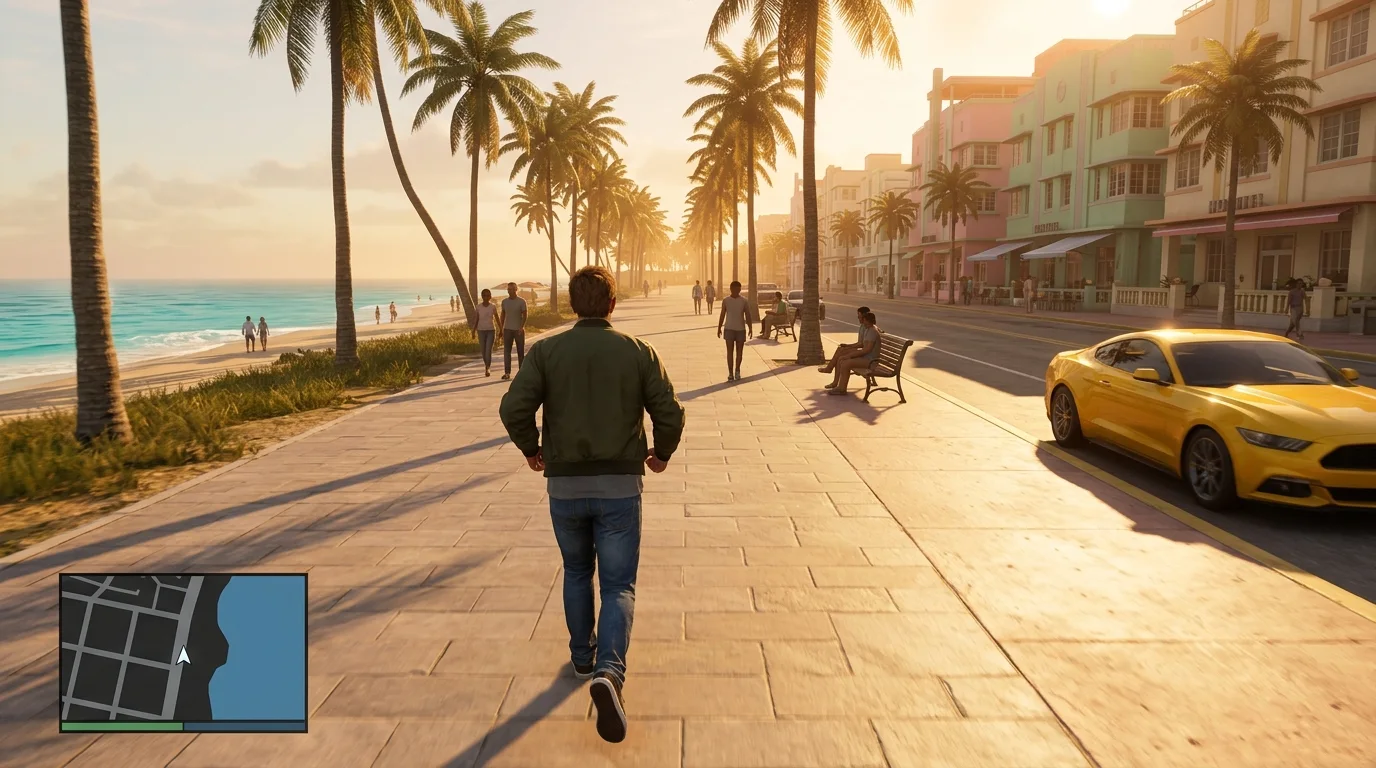
Swapping yourself into third-person over-the-shoulder gameplay is technically much harder than a cutscene because the frame contains sharp UI overlays (a bottom-left radar minimap, top-right cash/health indicators), moving NPCs, and constant forward parallax.
Why HUDs Usually Melt—and How to Lock Them
If you omit the HUD in your prompt, a reference-to-video generator assumes the small corner box is visual noise and smears it into pavement. Naming the exact corner coordinates in your prompt prevents that almost completely:
- Call out
bottom-left rectangular radar minimap HUDexplicitly. - Call out
top-right status/cash HUDif your source footage has one. - Keep the camera description grounded as
locked over-the-shoulder third-person gameplay camera at 60fps real-time engine feel. - Bonus engagement trick: If you generate your own base gameplay clip first (with MAGI-2 text-to-video), add "midway through the walk, the protagonist glances briefly over their shoulder toward a parked sports car" so your face flashes clearly on screen instead of staying hidden behind your back.
Real Before & After: Third-Person Gameplay & Minimap HUD Preserved in 1080p
Compare the original 16:9 gameplay capture against the MAGI-2 1080p swapped render below—pay close attention to the bottom-left minimap radar, top-right cash HUD, passing pedestrians, and parked pink convertible:
01 · Source Gameplay Clip — Blonde leather-jacket protagonist with minimap HUD & pink convertible.
02 · MAGI-2 1080p Swapped Gameplay — Protagonist swapped seamlessly while HUD, NPCs, and car stay locked.
Copy-Paste Prompt (Third-Person Gameplay Swap · 16:9 · 1080p)
Keep the exact open-world Miami oceanfront street, pastel art-deco hotels, golden-hour
sunlight, parked sports car by the curb, passing pedestrians, bottom-left minimap radar
HUD, top-right HUD overlay, third-person over-the-shoulder gameplay camera movement, and
jogging trajectory from the reference video. Completely replace the original player
character with the person from the reference image—matching their hairstyle, outfit, and
build—rendered naturally in the same crisp real-time next-gen video game engine shaders
and sunset shadows. Preserve realistic concrete footsteps, distant ocean breeze, and
passing city traffic audio.
Workflow 3: Neon Street Action, Martial Arts & Car Chase Choreography
Open-world game videos aren't only calm walks down the beach—audiences love rain-slicked neon street fights, drifting muscle cars, parkour dodges, and cinematic rooftop chases.
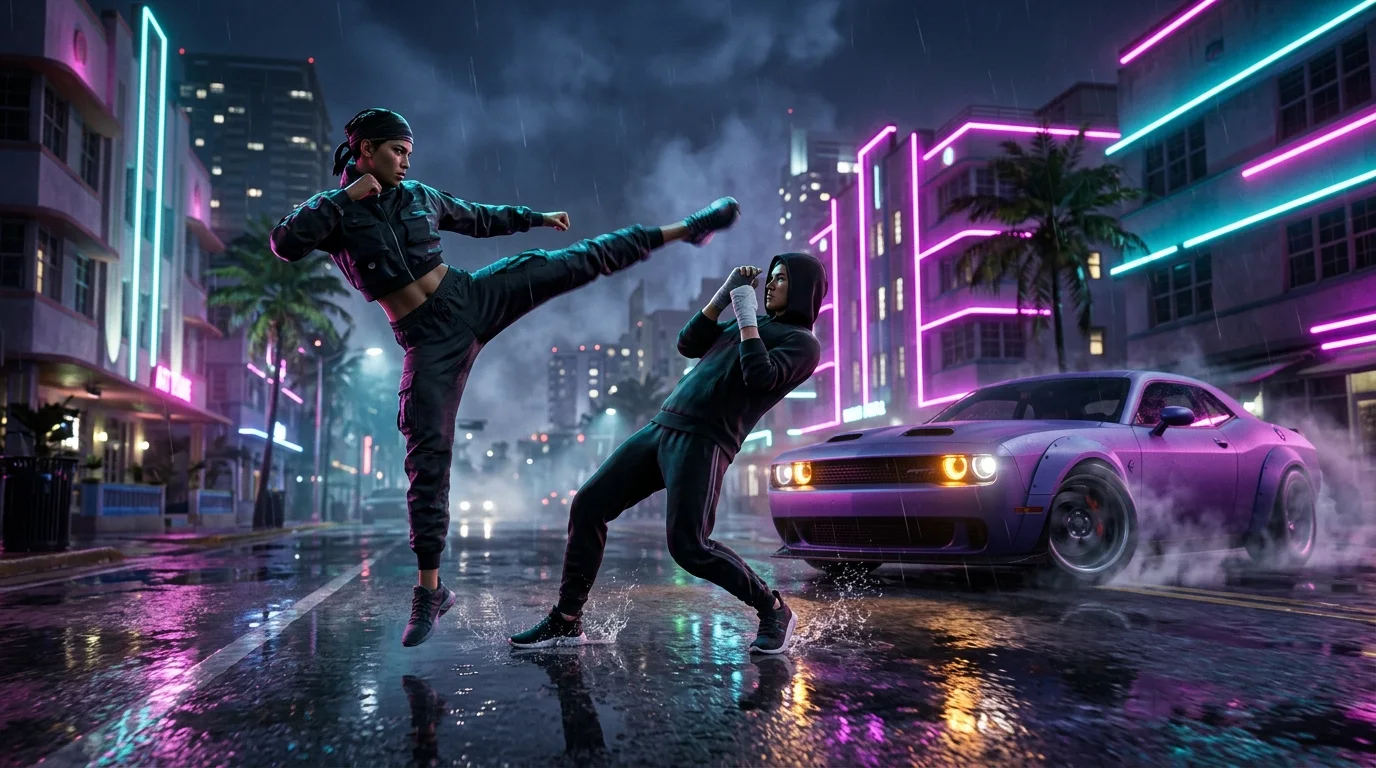
Writing High-Energy Action Prompts Without Triggering Safety Blocks
During our testing across multiple upstream providers, we discovered a huge practical pattern: how you phrase action determines whether an upstream safety classifier approves or rejects your render.
- Avoid unnecessary trigger words: Even harmless phrases like "open-world crime video game" triggered an instant content-safety block on Seedance 2.5 Flash, whereas changing "crime video game" to "open-world action video game" passed immediately on the first try.
- Direct choreography, not gore: Describe athletic mechanics ("choreographed martial-arts blocks, airborne spinning roundhouse kick, low dodge roll, drifting muscle car tires throwing rain spray, handheld tracking camera shake"). You get way better animation physics and zero false-positive blocks.
- Tuned moderation on magi-2.run: We updated our site's pre-submit moderation layer so non-graphic fictional fighting, martial arts, and car chase prompts pass cleanly (while explicit adult content, graphic gore, hate speech, self-harm, and real-world illegal weapon instructions remain strictly blocked).
Tested Action Output (No Safety False-Positive)
Here is the actual 6-second rain-slicked neon martial-arts clip generated with our action-friendly wording (zero gore, full impact camera physics & synthwave audio):
Neon Street Martial-Arts Showdown — Generated with choreographed action terms, wet reflections, and synchronized impact audio.
Copy-Paste Prompt (Neon Street Action · 16:9 · 1080p)
Photorealistic next-gen open-world action video game scene at night on a rain-slicked
neon Miami downtown avenue. Dynamic low-angle handheld tracking camera orbits two agile
streetwear fighters mid-exchange—fast martial-arts guards, an airborne spinning kick,
and a slick dodge roll—right beside a drifting matte-purple muscle car with glowing amber
headlights. Magenta and cyan hotel neon reflections ripple across rain puddles with
crisp water spray and volumetric mist. Synchronized martial arts whooshes, tire screech,
wet pavement footsteps, and pulsing retro synthwave bass.
Workflow 4: Vice City Loading Screen Animation & 9-Photo Trailer Intros
If you don't have a reference video clip yet—only a single selfie or a batch of vacation photos—you can still create two proven viral formats in MAGI-2 using Reference Images only (up to 9 images per run):
A. Animated Vice City Loading Screen (1 Portrait → 6s 1080p Loop)
Watch how a bold cel-shaded Vice City poster comes alive with slow 2.5D parallax, swaying palm silhouettes, and warm retro audio:
Animated Vice City Loading Screen — 2.5D parallax motion with cel-shaded comic outlines and coastal synthwave groove.
Upload 1 sharp portrait under Reference Images on the GTA 6 Style AI Video Generator and use:
Transform the person from the reference image into a bold comic-ink illustrated Vice City
game loading screen portrait coming smoothly to life in 2.5D parallax motion. Saturated
magenta-and-gold Miami sunset skyline, swaying palm tree silhouettes, classic turquoise
convertible parked behind them, crisp cel-shaded outlines, hair and jacket moving gently
in the warm ocean breeze, slow cinematic camera push-in, warm retro synthwave coastal
groove.
B. 9-Photo Multi-Scene Trailer Opening (Up to 9 Reference Images)
Upload 3–9 photos of yourself (or friends + cars + outfits) and pair them with a timestamped MAGI-2 director timeline (covered in depth in our MAGI-2 Prompt Handbook):
[0–3s] Golden-hour aerial push-in onto the character from the reference photos stepping
out of a pink convertible along a palm-lined Miami oceanfront avenue.
[3–6s] Quick smash cut to a low-angle tracking shot as they adjust their sunglasses and
stride past glowing art-deco neon hotel signs while traffic roars past.
[6–9s] Dramatic freeze-frame pull-out into bold comic-ink game loading screen outlines
with pulsing synthwave bass and ocean breeze ambience.
Troubleshooting Playbook: 5 Common Failures & Instant Fixes
| Problem You See | Root Cause | Exact Fix |
|---|---|---|
| Face drifts into a generic Western game NPC | Prompt only said "replace character" without naming physical anchors | Name 3–4 concrete visual traits from your photo (hair color/cut, glasses, shirt color/pattern) so text and image embeddings reinforce each other. |
| Minimap HUD turns blurry or disappears | Model treated corner UI as background clutter | Explicitly add "strictly preserve the bottom-left rectangular minimap radar HUD and top-right status overlay unchanged" in the first sentence. |
| MAGI-2 1080p queue takes 10+ minutes | Upstream 1080p GPU burst demand fluctuates heavily | Prototype your clip & prompt on Seedance 2.5 Flash (~100s at 720p), then run your winning prompt once on MAGI-2 for the final 1080p master. |
| Action prompt rejected by upstream safety filter | Trigger words like crime, murder, blood, or real weapon instructions | Rewrite around "open-world action video game", "choreographed martial arts", "car chase stunt", and "cinematic impact camera shake". |
| Vertical TikTok clip gets letterboxed | Used a 16:9 reference video while requesting 9:16 output | Match output aspect ratio to your reference video (9:16 source → 9:16 output; 16:9 source → 16:9 output). |
Copyright, DMCA & Safe Publishing Checklist
Rockstar Games and Take-Two Interactive have actively issued DMCA takedowns on X and TikTok against AI videos that repurpose official GTA 6 trailers or impersonate official characters (such as Jason or Lucia). To keep your creator accounts safe:
- Use original or self-recorded source clips: Generate your own Vice City-style base clip with MAGI-2 first (takes one 6-second pass), or record original non-branded scenes—never slice official Rockstar trailers.
- Avoid official logos & trademarked characters: Keep official game titles, box-art logos, and named Rockstar characters out of both your prompts and your thumbnails.
- Label honestly: Frame posts as "GTA 6 style", "Vice City style", or "AI open-world fan edit"—never claim leaked gameplay.
- Respect likeness rights: Only upload portraits of yourself, consenting friends, or fictional AI-generated characters.
(Independent studio note: magi-2.run is an independent browser studio and is not affiliated with or endorsed by Rockstar Games, Take-Two Interactive, or the developers of the MAGI-2 model.)
Frequently Asked Questions
Which AI video model is best for putting yourself into GTA 6 style game footage?
MAGI-2 in multimodal reference mode is the best all-around choice for final 1080p quality and cost efficiency (flat 2.8 credits/second with no extra input-video surcharge), preserving vehicles, neon streets, and minimap HUDs while naturally transferring facial expressions. Seedance 2.5 Flash in edit mode is best when you need fast ~100-second turnaround at 720p while iterating on prompts.
Do I need a green screen or 3D mod to replace a game protagonist with myself?
No. Both MAGI-2 and Seedance 2.5 Flash accept a normal waist-up portrait photo alongside a 4–30 second reference video clip directly in your browser. The model automatically relights your face, glasses, hair, and outfit to match the game engine shaders.
How do I keep the minimap HUD and cars from warping during character replacement?
Start your prompt with an explicit lock list naming every stationary UI overlay and scene anchor—such as "bottom-left minimap radar HUD", "top-right cash counter", "parked pink convertible", and "over-the-shoulder gameplay camera trajectory"—before describing the replacement character.
Why do GTA-style action or street-fight prompts sometimes fail content safety checks?
Strict moderation filters often flag words like crime, gunfight, or blood even in fictional game scenarios. Describe non-graphic martial arts choreography, parkour escapes, vehicle drifts, wet neon lighting, and sound design instead. On magi-2.run, pre-submit moderation is tuned to allow non-graphic fictional action and fighting prompts.
What portrait photo gives the highest face consistency in Vice City videos?
Upload one sharp, evenly lit daylight photo from the waist up with unobstructed eyes, hairline, and jawline. A distinctive outfit (tropical shirt, bomber jacket, or tinted aviators) dramatically boosts recognizability in wide third-person shots.
How long does it take to render a 6-second GTA 6 style character swap?
In our November 2026 benchmarks, Seedance 2.5 Flash edit mode finished 6-second 720p swaps consistently in ~100 seconds, whereas MAGI-2 native 1080p reference swaps ranged from 253 seconds (~4.2 minutes) up to 16 minutes under peak upstream load.
What aspect ratio should I pick for TikTok, Reels, and YouTube Shorts?
Pick 9:16 vertical for cutscene swaps and animated loading screens targeting TikTok, Reels, and Shorts. Pick 16:9 widescreen for YouTube third-person gameplay clips with minimap HUD overlays, and keep your output ratio matched to your reference video.
How can I publish GTA 6 style AI videos without getting hit by a Rockstar DMCA takedown?
Avoid uploading official trailers, Rockstar logos, or official protagonists. Use original AI-generated or self-owned reference clips, describe the look as "GTA 6 style" or "Vice City style", and clearly disclose AI generation.
Try the Full Workflow Live
Ready to drop yourself into your own Vice City scene?
- GTA 6 Style AI Video Generator — Watch our tested before/after 1080p swaps and run the live generator with one-click prompts.
- Try MAGI-2 Free — See how welcome credits and the 1080p native-audio trial work.
- MAGI-2 Prompt Handbook — Master 30-second multi-shot timelines, camera choreography, and dialogue audio.
- MAGI-2 Examples — Inspect street action, VFX, and fantasy battle showcases with director notes.