New model · released November 24, 2026

MAGI-2 Free AI Video Generator

Explore how the MAGI-2 model generates 30-second, 1080p sequences with dialogue, sound effects, music, and cuts guided by a timeline.

single generation
30 s
at 25 fps
1080p
audio and lip-sync
Native
references per request
20
aspect ratios
6
See what MAGI-2 can do

Try it free online

Write a prompt, set the shot, generate

Enter a prompt to generate a free MAGI-2 video of up to 8 seconds at 720p without signing in. Guest requests enter a queue, and trial limits reset daily. Sign in to submit directly. Upgrade your plan to select 1080p Full HD output.

What is MAGI-2

A video model built for whole scenes, not clips

MAGI-2 is a 480-billion-parameter video generation model, with about 28 billion parameters active per token, that generates up to 30 seconds of 1080p video at 25 fps together with synchronized audio in a single pass.

Most video models give you a few seconds and leave sound for later. MAGI-2 processes text, video and audio tokens in one continuous sequence, so camera motion, lip movement and the soundscape are planned together instead of being stitched afterwards. That is what lets one prompt carry a full scene: an establishing shot, a conversation and a closing beat, with the ambience that ties them together.

Its developers released a research Preview in August 2026 and the full model on November 24, 2026. They report a 4-task average Elo of 1150.3 on the Artificial Analysis Video Arena v2.1, up 151.8 points from the Preview.

MAGI-2 at a glance

MAGI-2
Released
November 24, 2026 (Preview: August 2026)
Model size
480B total parameters, ~28B active
Architecture
Single-stream Transformer with Multi-Head Latent MoE
Pre-training data
About 4 trillion tokens
Max length
Up to 30 seconds per generation
Output
1080p at 25 fps, six aspect ratios
Audio
Native dialogue with lip-sync, foley, ambience and music
References
Up to 20 per request: 10 images, 5 videos, 5 audio clips
Control
Timeline and shot-cut control, targeted video editing

Specifications summarize the developers’ public release notes. magi-2.run is an independent platform and will update this table as details change.

Capabilities

Five things MAGI-2 changes about AI video

Each example below is a single MAGI-2 generation published with the model release. Press the sound button on clips that have audio.

01Alpine lake at dawn, a 30-second continuous take

01 · Up to 30 s

One continuous 30-second take

MAGI-2 holds a scene for up to 30 seconds without the drift, morphing or hard resets that usually appear after a few seconds. Light, weather and subject stay consistent from the first frame to the last, so slow reveals and long camera moves finally work in one generation.

  • Up to 30 seconds per generation, at 1080p and 25 fps
  • Stable subjects and lighting across the full duration
  • Room for a beginning, middle and end in one prompt
02A boat-cabin dialogue planned from three story beats

02 · Native audio

Dialogue, foley and music in the same pass

Picture and sound come out of the same model at the same time. Characters speak with matching lip movement, footsteps and water land on the right frame, and ambience follows the camera from wide shot to close-up, so you are not syncing a separate audio track afterwards.

  • Spoken dialogue with lip-sync
  • Foley and ambient sound tied to on-screen action
  • Music generated alongside the picture
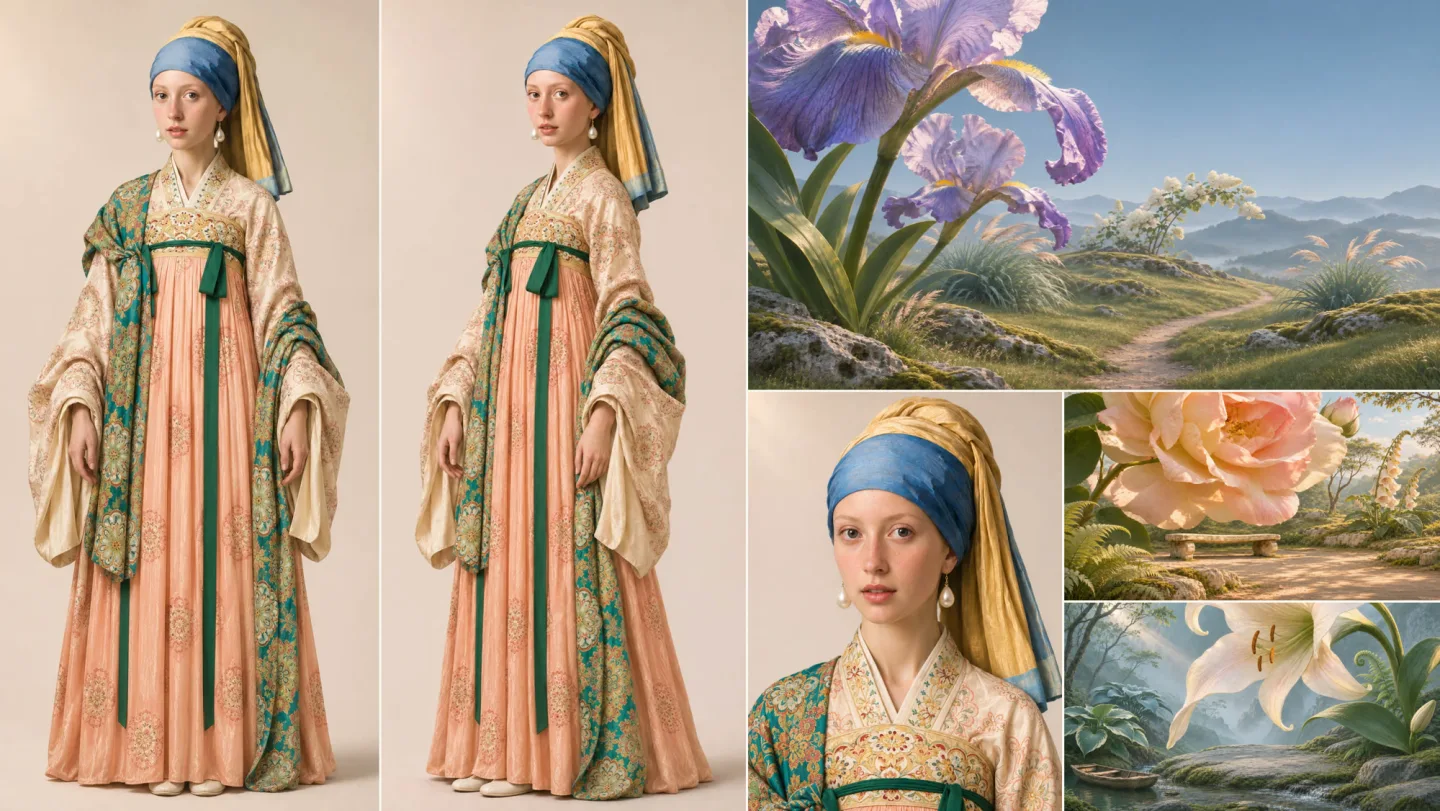
03One character and three garden locations, locked with reference images

03 · Omni-reference

Lock characters, places and sound with 20 references

Give MAGI-2 a character sheet, a few locations, a motion clip or a voice sample, and it keeps them consistent across the whole take. One request accepts up to 20 references: as many as 10 images, 5 videos and 5 audio clips.

  • Up to 10 image, 5 video and 5 audio references
  • Keep a face, wardrobe and setting stable across shots
  • References are re-used during 1080p upscaling for sharper detail
04A 30-second prompt with 15 shots and a hard cut every 2 seconds

04 · Timeline control

Put every cut exactly where you want it

Write the scene as a timeline and MAGI-2 follows it. You can describe what happens in each segment, ask for a hard cut at a specific second, or let the model plan coverage itself, switching angles and adding close-ups when you only give it story beats.

  • Segment-by-segment prompts for a single generation
  • Hard cuts at the times you specify
  • Targeted edits to existing footage
05Macro close-up with makeup brush and warm practical lights

05 · 1080p detail

Close-ups that hold up at full resolution

A dedicated 1080p upscaler re-reads your original reference images while it adds detail, which keeps small faces recognizable and on-screen text readable. Post-training then focuses on lighting depth, skin and fabric texture, fur and material realism.

  • Latent upscaling to 1080p at 25 fps
  • Sharper small-face identity and text legibility
  • Richer lighting and surface texture after post-training

Use cases

Where a 30-second take with sound pays off

Longer takes and native audio matter most when the shot has to tell a small story on its own.

Product spots and brand films

Cover a product from hero shot to lifestyle moment in one take, with a soundtrack that already fits the edit. Six aspect ratios let one idea fit different placements.

Character performance and short drama

Quiet looks, reactions and spoken lines stay on one consistent face. Native lip-sync makes dialogue scenes usable without a separate dubbing pass.

Animated storytelling

Keep a character, prop and room consistent across a full sequence, from a wide establishing shot to the small details that sell the world.

Sci-fi, VFX and previsualization

Test a camera move, a set piece or an effect beat at full length before production, with timing and sound you can actually judge.

How to prompt MAGI-2

Direct a long take in three steps

MAGI-2 reads a prompt more like a shot list than a caption. These steps get the most out of a 30-second generation.

  1. 1

    Write the scene as beats

    Describe the subject, setting and camera, then break the action into time ranges such as 0–10 s, 10–20 s and 20–30 s. Name the sounds you expect to hear in each part.

  2. 2

    Add references for anything that must stay the same

    Upload a character sheet, a location still, a motion clip or a voice sample. Use references for identity and wardrobe, and keep the text prompt for action and mood.

  3. 3

    Set length, ratio and cuts, then iterate

    Choose the duration and aspect ratio, mark any hard cuts, and generate. Change one beat at a time between versions so you can see what each edit does.

Example prompt
30 seconds, 16:9. A lighthouse keeper climbs a spiral staircase at dusk. 0–10 s: low angle, the camera rises with him, wind whistling through the stairwell. 10–20 s: hard cut to the lamp room as he lights the lamp, the glass hums and warm light fills the frame. 20–30 s: slow pull-back through the window over a stormy sea, waves crashing, a distant foghorn.

Time ranges, a named cut and a sound for each beat give the model a clear plan to follow.

Under the hood

Why a 480B model makes longer, steadier video

MAGI-2 scales model size, training systems and data together. Here is what that means in practice.

total parameters
480B
active per token
~28B
pre-training tokens
4T
Video Arena Elo, 4-task average
1150.3

One stream for picture and sound

Text, video and audio tokens share a single Transformer sequence, so motion, lip-sync and acoustics evolve together instead of being generated by separate models.

Multi-Head Latent MoE

Each token is split into heads with their own router and expert pool. That keeps cross-device traffic fixed as the model grows, which is what made training at 480B practical. The developers report about a 22% training speedup over a single-head LatentMoE baseline.

4 trillion tokens of unfiltered footage

Training data grew about 3× over the Preview, to roughly 1 billion samples. Complex footage such as crowds, fast cuts, on-screen text and dense soundscapes was kept rather than filtered out, and many structural errors like extra fingers faded during pre-training.

Post-training for craft

With structure handled by pre-training, reinforcement learning targets lighting depth, micro-texture, fur and materials. A latent upscaler then lifts output to 1080p at 25 fps.

MAGI-2 vs MAGI-2 Preview

MAGI-2 PreviewMAGI-2
ReleaseAugust 2026November 24, 2026
Total parameters~114B480B
Active parameters~6B~28B
Pre-training dataBaseline~4T tokens (about 3×)
Video Arena Elo (4-task average)998.51150.3
Elo is the 4-task average (I2V, I2V-Silent, T2V-Silent, T2V) on Artificial Analysis Video Arena v2.1, as reported by the developers.

Known limitations

The developers list these as open areas. Plan around them when you write prompts.

  • Very fast motion can still cause trajectory or continuity artifacts.
  • Medium and wide shots of 2D animation can look overly smooth in fine motion.
  • Complex soundscapes have room for richer layering and physical realism.
  • Some broader abilities seen during pre-training are harder to trigger in the polished release.

FAQ

MAGI-2 questions, answered

Short answers about the model and about using it on magi-2.run.

What is MAGI-2?

MAGI-2 is an AI video generation model with 480 billion total parameters (about 28 billion active). It generates up to 30 seconds of 1080p, 25 fps video with native synchronized audio in one pass, and supports omni-reference input, timeline and shot-cut control, and video editing. The full model was released on November 24, 2026.

How long can a MAGI-2 video be?

Up to 30 seconds in a single generation, at 1080p and 25 fps. Because the whole take is generated at once, one prompt can hold several beats or shots instead of a single short clip.

Does MAGI-2 generate sound?

Yes. Audio is generated natively by the same model as the video, including spoken dialogue with lip-sync, foley, ambient sound and music. You do not need a separate audio model or manual syncing.

What references can I give MAGI-2?

One request accepts up to 20 references: as many as 10 images, 5 videos and 5 audio clips. Use them to lock a character’s face and wardrobe, a location, a motion style or a voice across the whole take.

Can I control where the shots cut?

Yes. You can write the prompt as a timeline, describe each segment, and ask for hard cuts at specific seconds. One published example uses a 30-second prompt with 15 shots and a cut every 2 seconds.

How do I try MAGI-2 on magi-2.run?

Enter a prompt in the generator to try MAGI-2. You can also use a reference image after signing in.

Is MAGI-2 free to use?

Yes. The MAGI-2 free trial on magi-2.run generates videos of up to 8 seconds at 720p with the site watermark. Upgrade your plan to select 1080p Full HD in the generator.

How much does MAGI-2 cost on magi-2.run?

Video generation uses credits. The pricing page lists the available credit plans, and the generator shows the cost in credits before you submit.

What are MAGI-2’s known limitations?

According to its developers, very fast motion can still produce continuity artifacts, 2D animation in medium and wide shots can look overly smooth, and complex soundscapes can be richer. Planning prompts around these helps.

Is magi-2.run the official MAGI-2 website?

No. magi-2.run is an independent platform and is not affiliated with or endorsed by the developers of the MAGI-2 model. Model details on this page summarize their public release notes.

Create your first short video

Try a free MAGI-2 video of up to 8 seconds at 720p.